AI chat
Write, analyse and develop ideas.
Request copy, explanations, strategies or rewrites. Attach files and use the available response options; web search can add sources when used.
Learn moreABOUT AI MOLDOVA
AI Moldova brings together tools for writing, analysis, creation and digital projects. A platform for people and businesses in the Republic of Moldova, available in Romanian, Russian and English.
Each tool has a different role, while sharing your account and credit system. Open the one that fits your task.
Write, analyse and develop ideas.
Request copy, explanations, strategies or rewrites. Attach files and use the available response options; web search can add sources when used.
Learn moreTurn a response into a useful file.
Prepare proposals, reports, spreadsheets and presentations. Export Word, PDF, Excel, PowerPoint, CSV or TXT according to the content and selected format.
Learn moreVisuals for products and ideas.
Describe the subject, visual direction and format. Choose the quality available to your plan, generate the image and download it for review and use.
Learn moreFrom text or a photo to motion.
Choose text-to-video or image-to-video, a creation tier, duration and resolution. Review the cost first and find your videos in My creations.
Learn moreVoice, lyrics or instrumental.
Describe the genre, mood and instruments. Add your own lyrics, create a clip or song and download the MP3 result from your music library.
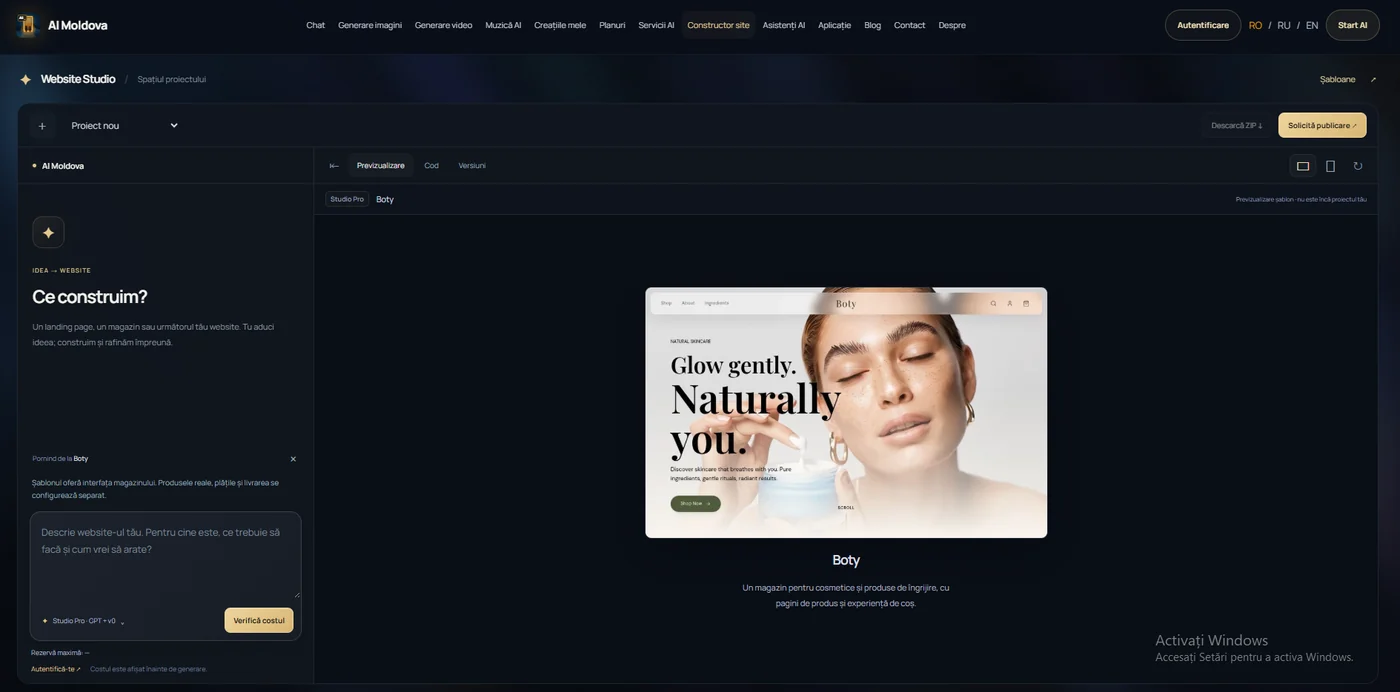
Learn moreBuild and refine through chat.
Start with a description or template. Request changes, watch the preview, review code and versions, then download the ZIP source. Publishing is configured separately.
Learn moreSee the design before you start.
Explore landing page, business, store and app designs. Preview a complete template within the platform and use it as your starting point in the builder.
Learn moreOrganise tasks into steps.
Configure workflows, connect text or image steps and run them in your project’s context. Review the credit reservation and the results of each step.
Learn moreReturn to your results.
View images and videos saved to your account, track generations in progress and download available results. The gallery is private; music has a separate library.
Learn moreStart with a specific task. For a better result, describe your audience, preferred format and the information that must be preserved.
Write naturally. Add local context, an example or relevant files; for video, you can also start with a photograph.
Select the available options. For video, music, websites and assistant workflows, review the estimated cost or credit reservation before running.
Request changes where the tool supports them. Review the result, download an available format and prepare it for your project.
Prepare copy for customers in Chișinău, proposals priced in MDL, multilingual content or a promotion plan for a local business. Describing the audience, service and goal clearly helps make the response more relevant. Verify current facts and specialist information before use.
Ideas, emails, CVs, presentations, images and personal projects.
Commercial proposals, promotional content, visual concepts and website prototypes.
Multiple projects, larger credit budgets and workflows with AI assistants.
See your active plan, available credits, reset date and payments in the user dashboard. Purchase additional credits when needed.
Saved images and videos appear in My creations; music has its own library. Browser chat history depends on your storage preferences.
Install the PWA from a compatible browser for access from your home screen. AI generation requires an internet connection.
Find your referral link in the dashboard. A new eligible user with a verified email earns you 1,000 credits, subject to the programme’s checks.
Free includes 1,000 AI credits per period, with up to 60 messages, 12 documents and 5 images per day, subject to your balance and the available budget. Video, music and websites have separate one-time trials and access rules.
AI Moldova uses connected AI services to process requests. Responses may contain errors and creative results can vary. Review the facts, rights to materials and suitability of the output before publishing. Seek qualified review for legal, financial or medical information.
PrivacyAccount tools are separate from services delivered by the team: websites, marketing, automation and visibility in search or AI. Domains, publishing, integrations and custom work are scoped separately for your project.
AI Moldova is operated by Societatea cu Răspundere Limitată „ADS WEB AUGUST”, tax ID 1026023162317, Republic of Moldova. Registered address: Mihail Sadoveanu 6/6.
Legal detailsYou can try chat without signing in, within available limits. Personal features and projects that require authentication need an account; one-time video, music and website trials require a verified email and availability.
The platform focuses on the Republic of Moldova and is accessible in the website’s languages. AI processing uses online services; installing the app does not run AI models on your phone.
A plan provides tool usage within its credits and allowances. Project implementation, store configuration, publishing or a team-managed campaign are agreed separately.
The Plans page explains budgets, trials and usage conditions. Each generator shows its options and relevant cost, while the dashboard shows your account’s current status.
Features and conditions updated on 26 October 2026.